PHP is a language that has been around since 1995, just like JAVASCRIPT. But for servers it has been used for a long time. That is why today it is still very important.
Getting started!
How to start?
- go directly to https://php.net
- click on downloads.
- Click on Windows Downloads for the latest available version. (stable release)
- Download thread safe zip file for our operating system version, in my case x64.
- Extract all the contents of the zip to C:\php.
- Add the PATH variable to windows.
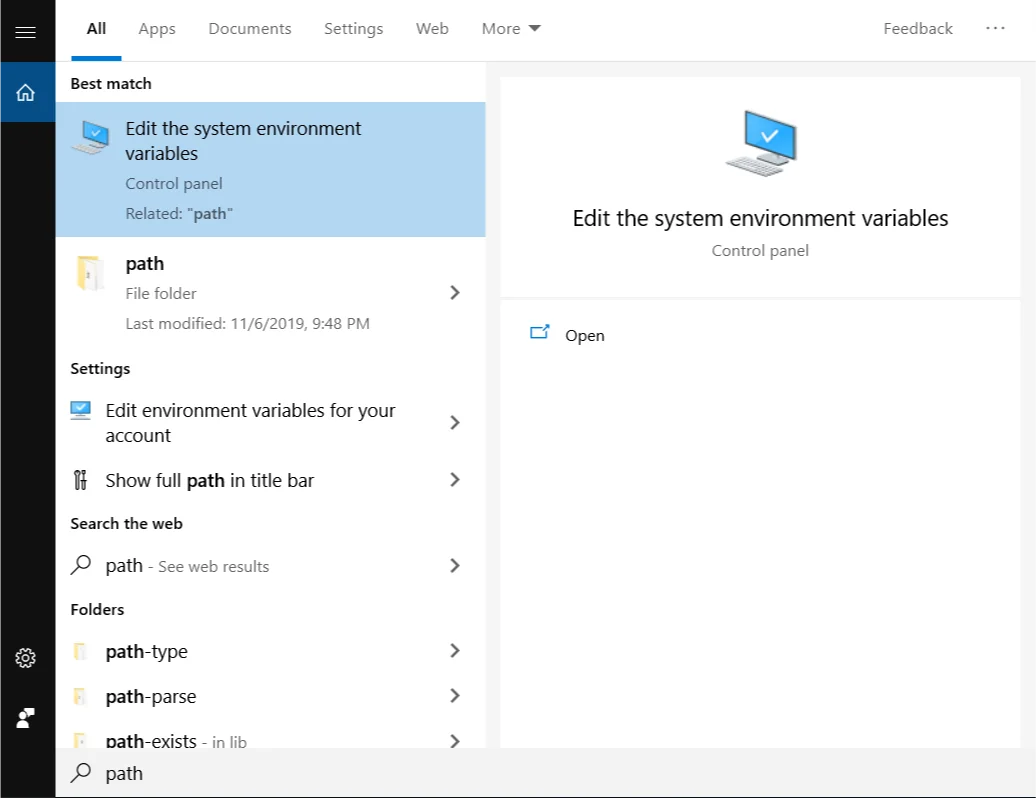
- Go to environment variables.
- Click on PATH, and add NEW with address in C:\php.
- open CMD and test if PHP works, with the php-v command
- It should show the version. To run our server, we are simply going to give php -s localhost:4000.
- The server will be listening at that address, and with that we will be able to start coding in PHP.
- The default path will be C:\Users(yourUserName)
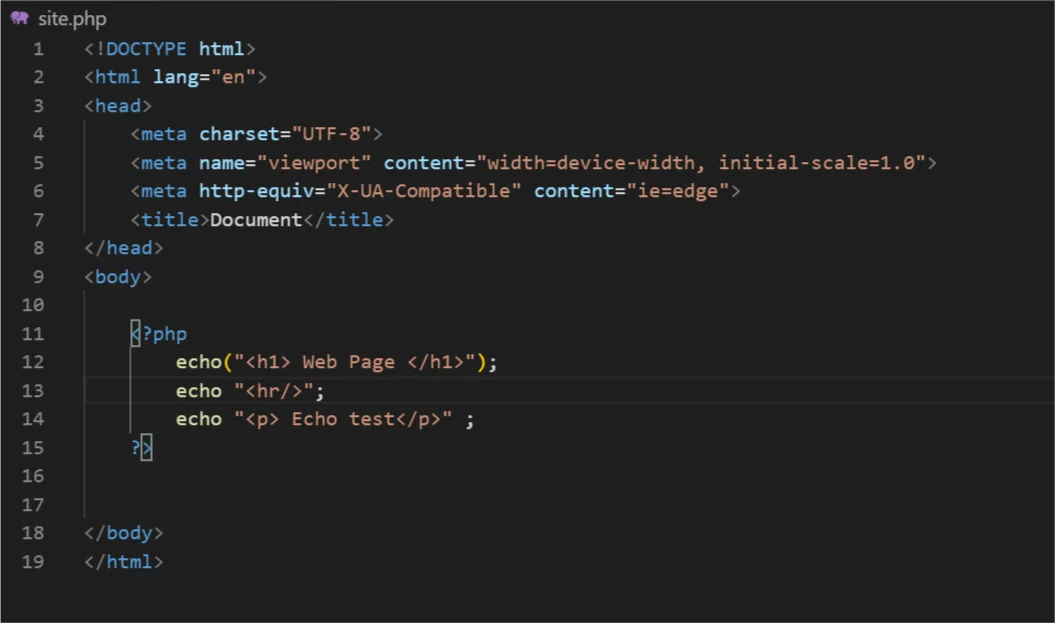
- There create a folder called www. and inside it a .PHP file, like site.php.
- Let's make some simple lines, to test.
- Go in the browser to http://localhost:4000/www/site.php
- We should see the following:
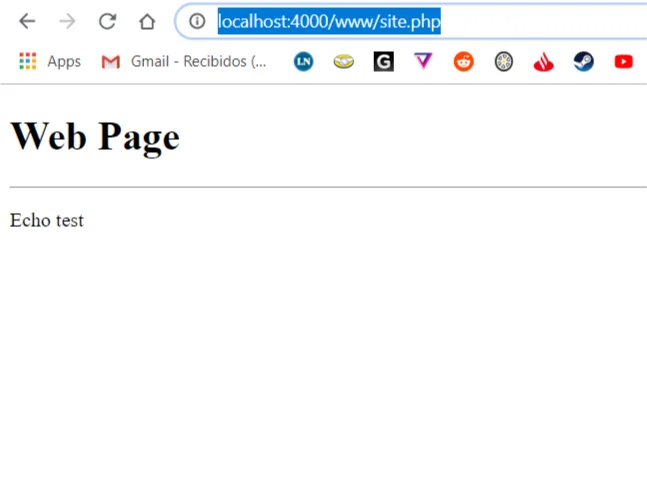
The server is already working!
Original article in Spanish: Tu primer server PHP